

In short
A multi-CDN setup serves one site through two or more content delivery networks, with a steering layer that decides which network answers each request. It gives a store redundancy when a provider has a bad day and more ways to route for speed. The cost is operational: every cache rule, redirect, header and security rule has to match on every network. It pays off for stores where an hour offline during a sale is expensive.
What is a multi-CDN setup?
A content delivery network, or CDN, keeps copies of your pages and assets on servers close to your shoppers. Most stores use one.
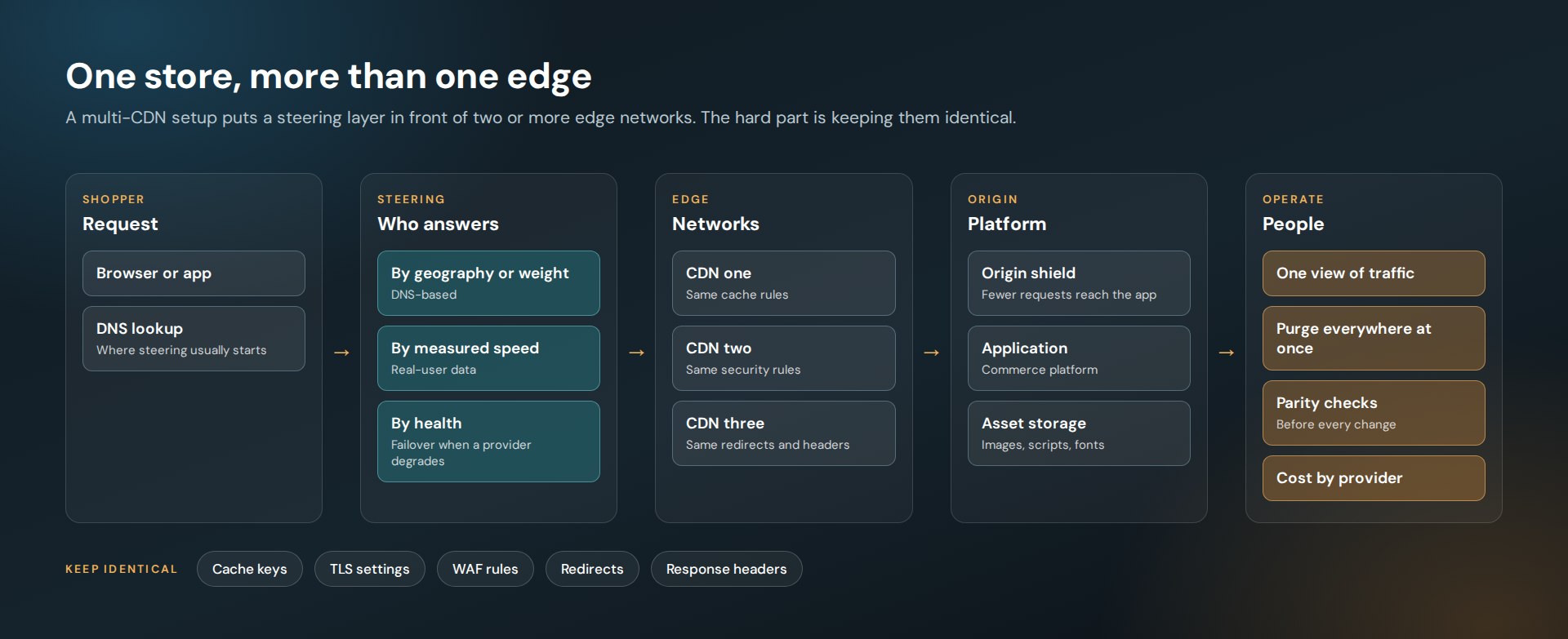
A multi-CDN setup uses two or more. A steering layer sits in front and decides which network answers each request. If one provider slows down or fails in a region, traffic moves to another.
We architected and operated a setup like this for Jenson USA, using Cloudflare, Amazon CloudFront and Azure’s edge network, with Amazon S3 for asset storage. The goals were the usual four: global performance, scalability, redundancy and fault tolerance.
Why would a store need more than one CDN?
Three reasons come up most.
- Redundancy. Every provider has incidents. With one CDN, their incident is your outage.
- Performance by region. No network is fastest everywhere. Steering lets you send each region to the network that serves it best.
- Room at peak. Seasonal sales concentrate a year of risk into a few days. A second network is capacity you have already tested.
Fastly’s engineering team lists the same benefits, and adds leverage on cost and less dependence on one vendor. Their overview of multi-CDN architecture is a good primer.
How does traffic get steered between CDNs?
There are a few common methods, and they can be combined.
- DNS-based steering. The DNS answer points a shopper at one network, by geography, by a weighted split or in rotation. It is the simplest place to start, because the application does not change.
- Performance-based steering. Real-user measurements feed the decision, so traffic follows the network that is fastest right now.
- Health-based failover. Checks watch each network and pull one out of rotation when it degrades.
- CDN chaining. One network sits in front of another as a shield, which cuts the number of requests that reach your origin.
What is the hard part?
Keeping the networks identical. A shopper should not be able to tell which CDN answered.
That means the same result on every network for:
- Cache keys and time-to-live rules
- Redirects and URL normalization
- Response headers, including security headers
- TLS settings and certificates
- Web application firewall and bot rules
- Image and compression behavior
When these drift, you get bugs that only appear for some visitors in some regions, which are the slowest kind to find. Fastly’s write-up names the same operational problems: configuration parity, cache consistency, fragmented security rules, observability and cost tracking.
How do we keep a multi-CDN setup maintainable?
These are the rules we work by.
- One source of truth. Rules are written once and applied to every network, never edited by hand on one.
- Purge everywhere. A cache purge that reaches one network and not another is a content bug. Purging is one action.
- Test each network on its own. Before a change ships, request the same URLs through each CDN and compare status, headers and body.
- One view of traffic. Logs and metrics from every network land in one place, so a regional problem is visible as a regional problem.
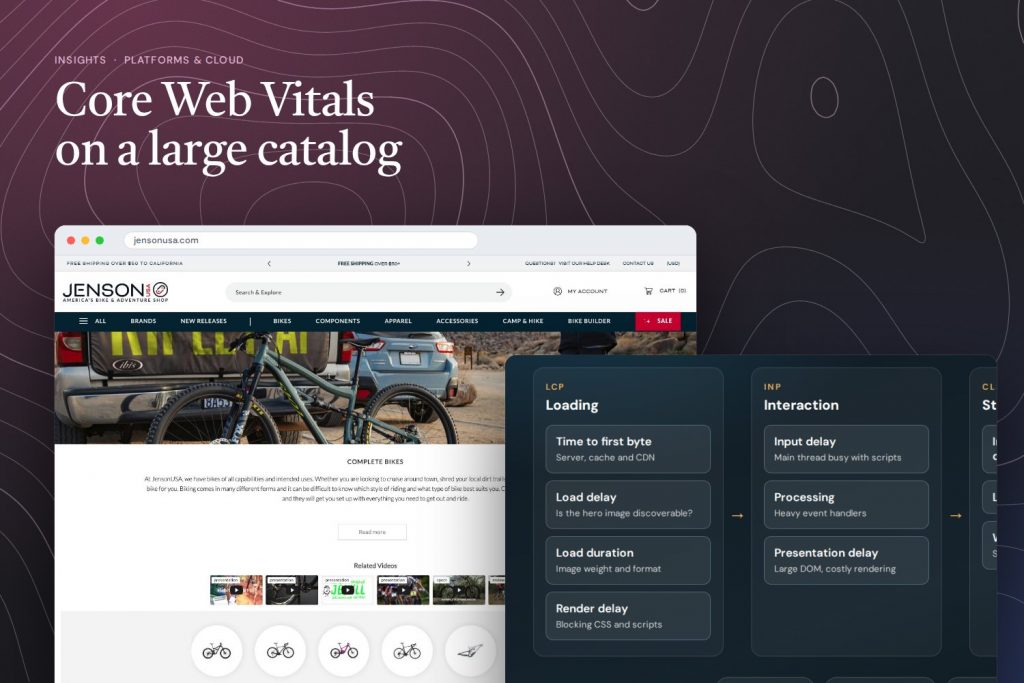
- Measure real users. A lab test cannot tell you which network is faster for a shopper on a phone three time zones away. Field data can. See our guide to Core Web Vitals on a large catalog.
Does a multi-CDN setup make a site faster?
It can, and it is not automatic. The CDN affects the network part of a page load: time to first byte and how fast images and scripts arrive. It does nothing for heavy JavaScript or late-loading banners.
Google’s guidance on optimizing Largest Contentful Paint puts CDNs and cache policy in the list of fixes for slow resource loading, next to image compression. They work together. A fast edge delivering an oversized hero image is still slow.
When is one CDN enough?
For most stores, one well-configured CDN is the right answer. Multi-CDN earns its cost when:
- Downtime during a sale has a price you can name
- Your shoppers are spread across regions
- You have someone to own the configuration
If none of those is true, spend the effort on caching rules and image weight first.
Where does this fit with the rest of the platform?
The edge is one layer. Behind it sit the commerce platform, search, personalization and analytics, and each one can undo the gains of the layer in front. We cover the personalization side in Personalization Without the Slowdown, and the full Jenson USA stack in the case study.
Planning for peak season, or cleaning up after an outage?
Talk to us about your edgeFrequently asked questions
What is a multi-CDN strategy?
A multi-CDN strategy serves one website through two or more content delivery networks. A steering layer chooses which network answers each request, so traffic can move away from a provider that is slow or down.
Is multi-CDN worth it for a small store?
Usually not. One well-configured CDN covers most stores. Multi-CDN makes sense when downtime during peak periods is expensive, shoppers are spread across regions and someone can own the extra configuration.
Does multi-CDN improve Core Web Vitals?
It can improve the network part of loading, such as time to first byte and resource load time. It does not fix heavy scripts, large images or layout shift, which need work in the page itself.
What is the biggest risk with multi-CDN?
Configuration drift. If cache rules, redirects, headers or security rules differ between networks, some visitors see different behavior from others. Applying every rule from one source of truth prevents it.